QR code generator / 18 types
QR codes that keep working after you print them.
Make one here, right now. Download, save or make it dynamic with a free account.
01 / Content
02 / Style
Ink
Module
Type
Static
03 / Output
text · 25×25 · ECC MPNG · 1024 px
Free account to download and save. Your design is kept.
1 / 3
01 / Static vs dynamic
Know what you are printing.
| Static vs dynamic | Static | Dynamic |
|---|---|---|
| Change the link after printing | No | Yes |
| Scan count | No | Yes |
| Location and device analytics | No | Pro |
| On the free plan | Unlimited | 2 codes |
| Stops working | Never | Never |
A static code holds the content itself. A dynamic code points to qrminds.com, so you can change where it goes after printing.
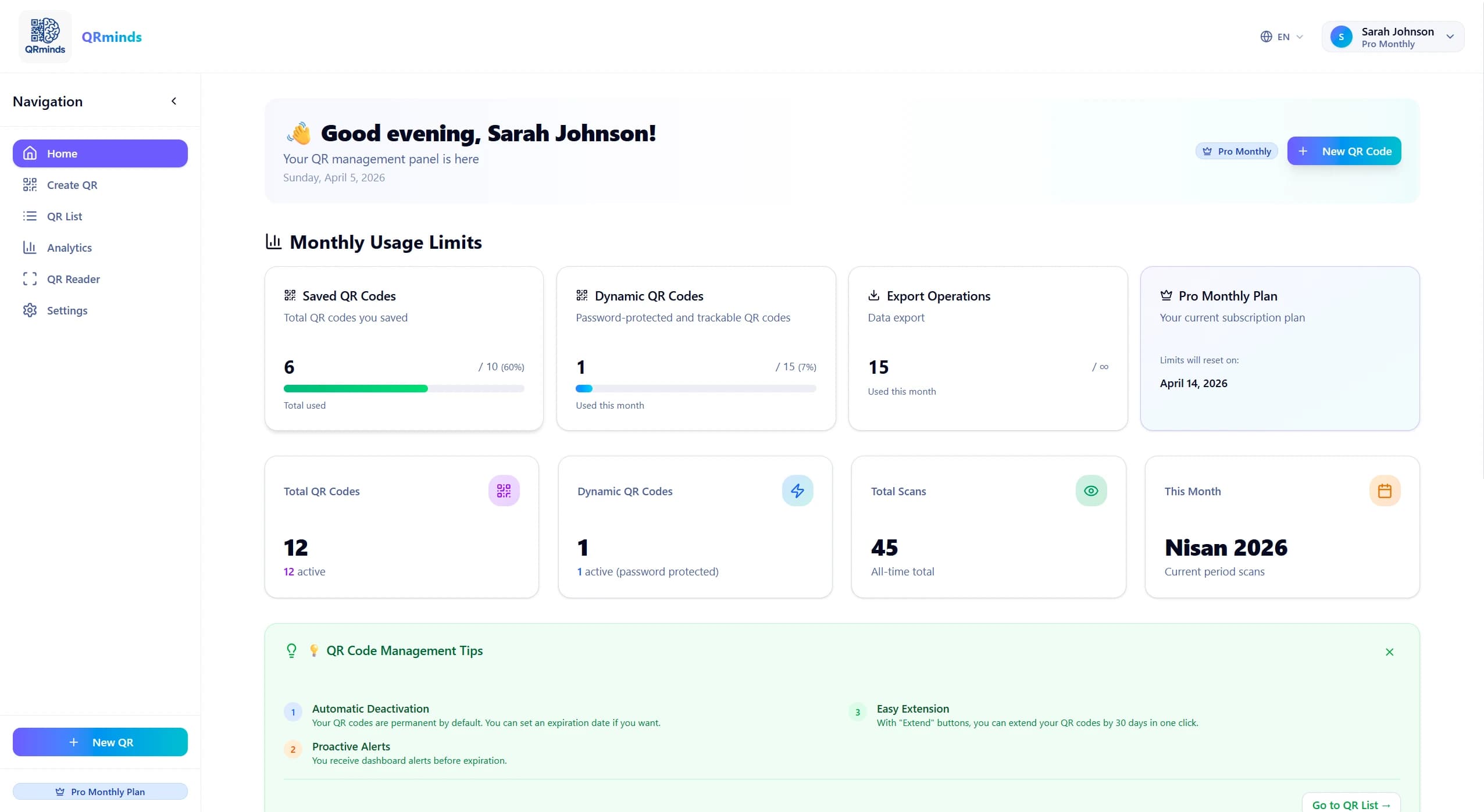
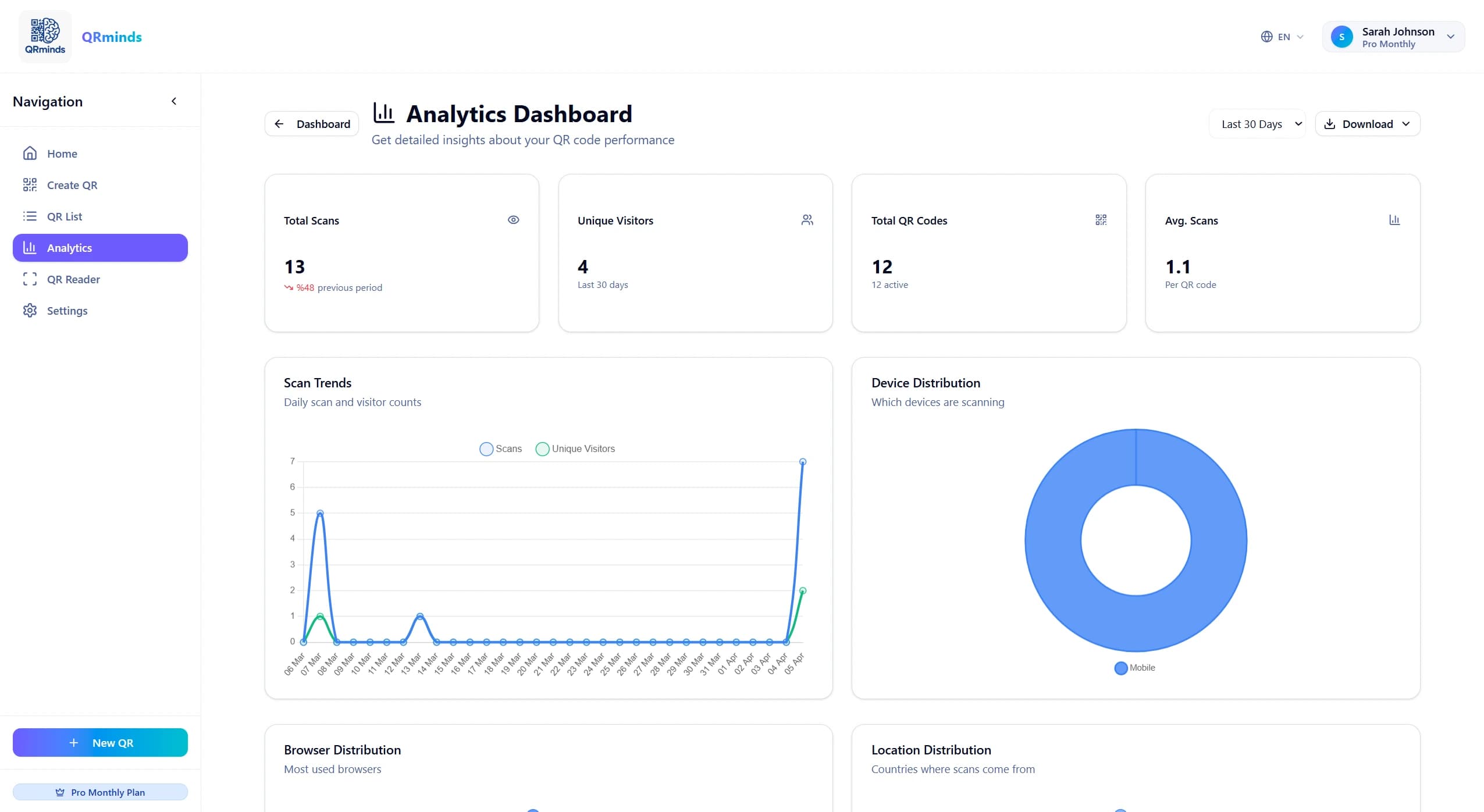
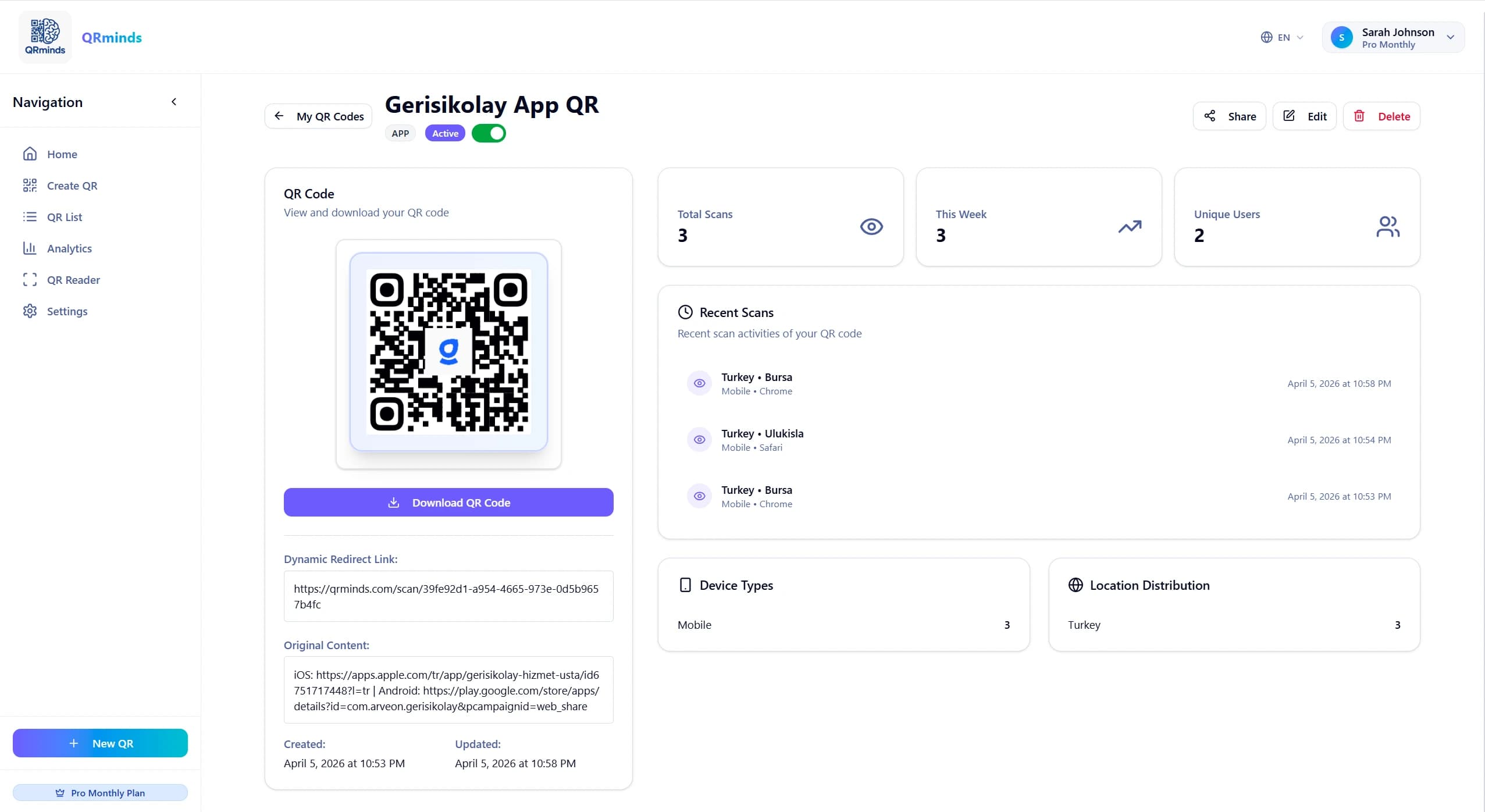
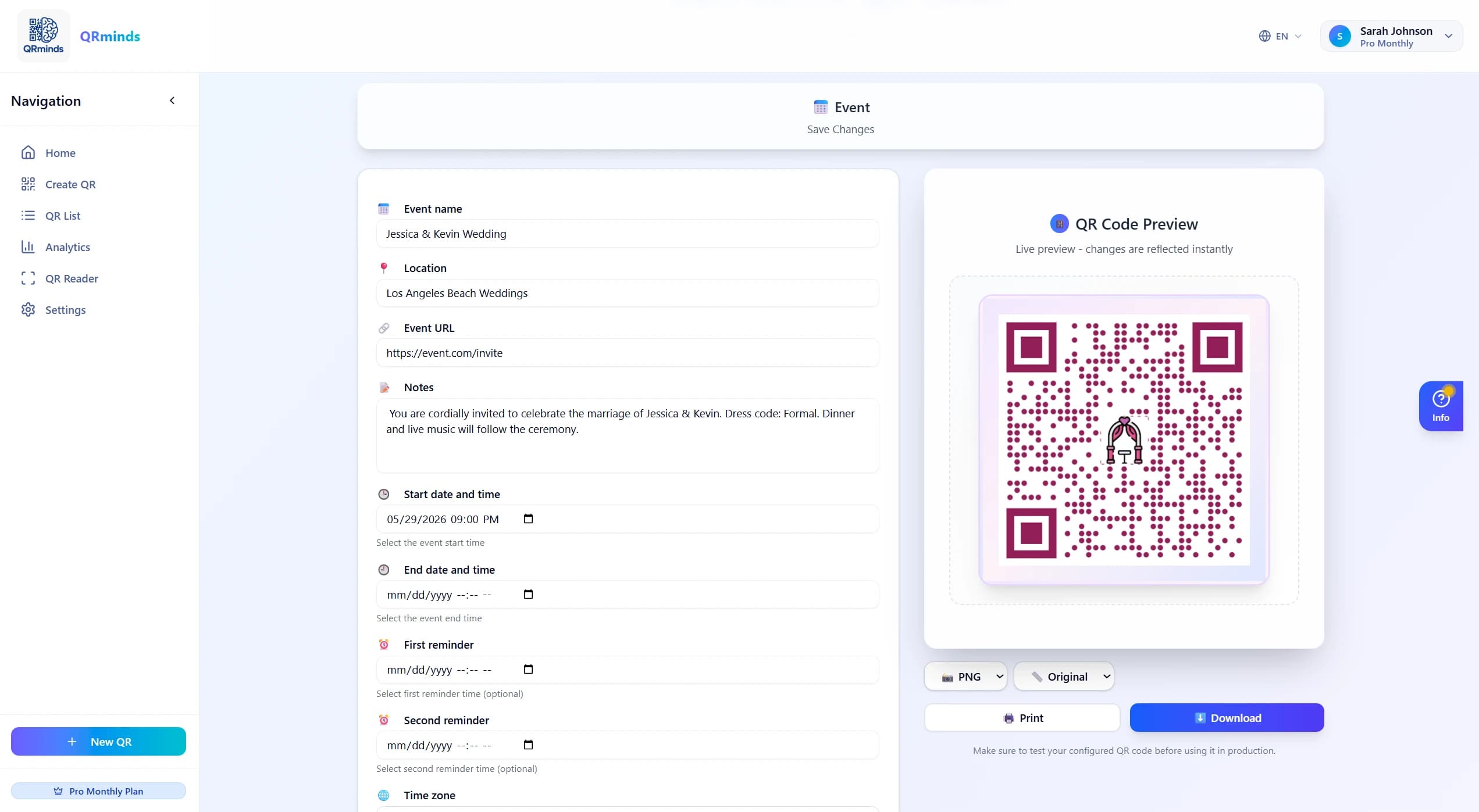
03 / Dashboard
Everything after the print, in one place.
04 / Pricing
Two plans. Limits in plain view.
Pro
$16.99 /mo
- 18 QR types
- 15 dynamic codes
- Unlimited downloads, analytics, password protection
05 / Use cases
Examples From Every Industry
Unlimited use cases with 18 different QR types. Discover the power of QR codes to grow your business.
- Restaurant & CafeWebsite and social media links via URL
- → Website redirect→ WiFi sharing→ Social media follow
- Event OrganizationEvent information and contact management
- → Calendar add→ Contact information→ WhatsApp group
- E-commerce & SalesPayments and customer communication (Pro)
- → PayPal payment→ UPI payment→ WhatsApp support
- Technology & SoftwareApp promotion and websites
- → App Store redirect→ Website URL→ Social media profiles
- Business & OfficeCommunication and professional connections
- → Phone call→ Send SMS→ Email communication
- Personal & SocialPersonal information and text sharing
- → vCard card→ Text sharing
06 / FAQ
What You Wonder
- Is creating a QR code free?
- Yes. You can create QR codes with QRminds. Free usage options are available, and there are plans that offer additional features.
- What is a dynamic QR code and how does it work?
- Dynamic QR codes allow you to update the content they redirect to without reprinting the QR image. For example, the target URL can be changed and some advanced settings can be managed.
- What QR code types do you support?
- Different QR code types are supported including text, URL, phone, email, Wi-Fi, vCard, event and social media. Available QR code types may vary by plan.
- In what formats can I download my QR codes?
- You can download your QR codes in common formats such as PNG, SVG and PDF. Download options may vary depending on the plan used.
- Will my QR codes work forever?
- Static QR codes generally work for a long time for fixed content. The lifespan of dynamic QR codes may depend on the plan and settings.
- How do QR code analytics work?
- QR code scan counts and some usage statistics can be tracked. Analytics details may vary depending on the QR code type and plan used.
- How can I upgrade to the Pro plan?
- You can upgrade to a higher plan from the plan management section within your account. Plan options and details are available on the relevant page.
- Can I use a logo in my QR codes?
- Yes. The option to add a logo to QR code design is available. Logo size and placement are important to maintain readability.
Have more questions? info@qrminds.com
Start
Create Your QR Code Now
Create a free account and start creating your QR codes right away. No credit card required.